A landscaping company in Tampa recently showed us their tech stack. They pay $97/month for HubSpot Marketing Starter. They pay separately for an AI scheduling tool. They use Zapier to push form submissions into HubSpot contacts. And they have a VA who spends four hours a week manually updating deal stages because the Zapier sync keeps breaking.
When they onboarded with Palatai, they asked the question we hear every week: “Do I keep HubSpot or switch to your CRM?”
The honest answer is: it depends. Not on which CRM is “better” in the abstract, but on where your data actually lives, who touches it, and whether your AI agents need to act on it in real time.
The Real Problem: Your CRM and Your AI Platform Don't Share a Brain
Most small businesses treat their CRM and their AI tools as separate systems. The CRM holds contacts and deals. The AI tools handle tasks like writing emails, generating content, or qualifying leads. The two talk to each other through integrations — API calls, webhooks, Zapier zaps — and every handoff is a place where data gets stale, duplicated, or lost.
This is not a HubSpot problem specifically. It's an architecture problem. When your AI agents need to check a contact's last interaction, update a deal stage, or trigger a follow-up sequence, they have to reach across a network boundary, authenticate, wait for the API response, and handle whatever rate limit or sync delay comes back. Every one of those steps introduces latency and failure points.
Research from Stacksync documents seven distinct failure modes in CRM synchronization: field mapping drift, API rate limits, authentication expiration, one-way sync creating data silos, schema changes breaking connectors, duplicate record creation, and conflict resolution failures when both systems edit the same record.
For a 10-person company, these aren't abstract technical problems. They're the reason your sales rep called a lead who already bought, or why your AI agent sent a follow-up email to someone who unsubscribed in HubSpot three days ago.
What a Native CRM Actually Means
A native CRM is a contact and deal management system that lives inside the same platform as your AI agents. No API bridge. No sync interval. No middleware. When an AI agent qualifies a lead at 2:00 AM, the contact record, the deal stage, and the activity log update in the same database transaction. There's no 15-minute sync window where the data is in one place but not the other.
Palatai's CRM is built this way. Contacts, deals, lifecycle stages, notes, and interaction history all live in the same system that your AI agents read and write to. When the sales agent scores a lead, the marketing agent can see that score immediately. When the operations agent books an appointment, the CRM record updates in the same moment — not five minutes later when a webhook fires.
This matters most for businesses where speed of response drives revenue. If you're in real estate, home services, legal intake, or any industry where the first response wins the deal, a 15-minute sync delay is not a minor inconvenience. It's lost money.
What HubSpot Does Well (And Where It Earns Its Price Tag)
HubSpot did not become the default small business CRM by accident. Its free tier is genuinely useful: unlimited users, contact management, deal pipelines, email tracking, and basic reporting at no cost. For a startup with three people and a spreadsheet, migrating to HubSpot Free is an obvious upgrade.
Beyond the free tier, HubSpot's strengths are real:
- Content management — HubSpot's CMS is tightly integrated with its CRM, so landing pages, blog posts, and email campaigns all share contact intelligence. If your marketing team builds campaigns inside HubSpot, moving away means rebuilding those workflows.
- Multi-touch attribution — HubSpot tracks which touchpoints contributed to a deal across channels. For businesses running paid ads, email sequences, and organic content simultaneously, this reporting is hard to replicate elsewhere.
- Ecosystem depth — Over 1,600 integrations in the HubSpot marketplace. If you need to connect to a niche vertical tool, HubSpot probably has a pre-built connector.
- Team familiarity — Your sales team already knows HubSpot. They've built their workflows around it. Switching CRMs has a real productivity cost measured in weeks of retraining.
None of this is trivial. Dismissing HubSpot as “overpriced” misses the point. The question isn't whether HubSpot is good — it's whether its strengths align with what your business actually needs right now.
The Cost Reality Nobody Mentions
HubSpot's pricing escalates sharply once you outgrow the free tier. The Starter plan runs $20/month per user. Reasonable. But the moment you need workflow automation, custom reporting, or A/B testing — features most growing businesses need within the first year — you jump to Marketing Hub Professional at $890/month. That's not a typo. There's also a mandatory $3,000 onboarding fee for Professional and Enterprise tiers.
For a 10-person company doing $500K in annual revenue, HubSpot Professional represents 2-3% of gross revenue before you add Sales Hub, Service Hub, or additional marketing contacts. Most mid-sized businesses end up spending between $10,000 and $50,000 annually on HubSpot once they're fully onboarded.
Compare that to a native CRM that's included in your AI operations platform. With Palatai's pricing, CRM is not an add-on module with its own tier. It's part of the platform. The same subscription that gives you AI agents for sales, marketing, operations, and finance also gives you the CRM those agents operate on.
The savings aren't just the subscription delta. They're the Zapier plan you cancel. The VA hours you redirect to higher-value work. The sync debugging that stops happening. The lost leads that stop leaking through integration gaps.
When to Use the Native CRM
The native CRM is the right choice when your AI agents are the primary system acting on your contact data. Here's the specific scenario:
- Your AI agents handle lead qualification, follow-up, and nurture sequences. They need to read and write CRM data in real time, not through a sync that runs every 15 minutes.
- You don't have a marketing team building campaigns in HubSpot. If no human logs into HubSpot daily to manage campaigns, you're paying for a UI that nobody uses.
- Speed of response matters in your industry. Real estate, home services, legal intake, medical practices — any business where the first callback wins.
- You're a solo operator or small team. You don't need 1,600 integrations. You need one system that does the work without you babysitting sync connectors.
- You want a single source of truth. One database. One set of contact records. No “which system has the latest version?” questions.
When to Keep HubSpot
HubSpot is the right choice when humans — not AI agents — are the primary users of your CRM data:
- Your sales team lives in HubSpot. They've customized their pipeline stages, built email templates, and trained on HubSpot's interface. Switching costs are real and measurable.
- You rely on HubSpot's CMS for content marketing. Blog posts, landing pages, and email campaigns are all built inside HubSpot. Moving that content library is a project in itself.
- Multi-touch attribution reporting is a business requirement. Your leadership team uses HubSpot's attribution models to make budget allocation decisions.
- You have deep integrations with vertical tools through HubSpot's marketplace. Your accounting software, your proposal tool, your scheduling system — they all connect through HubSpot.
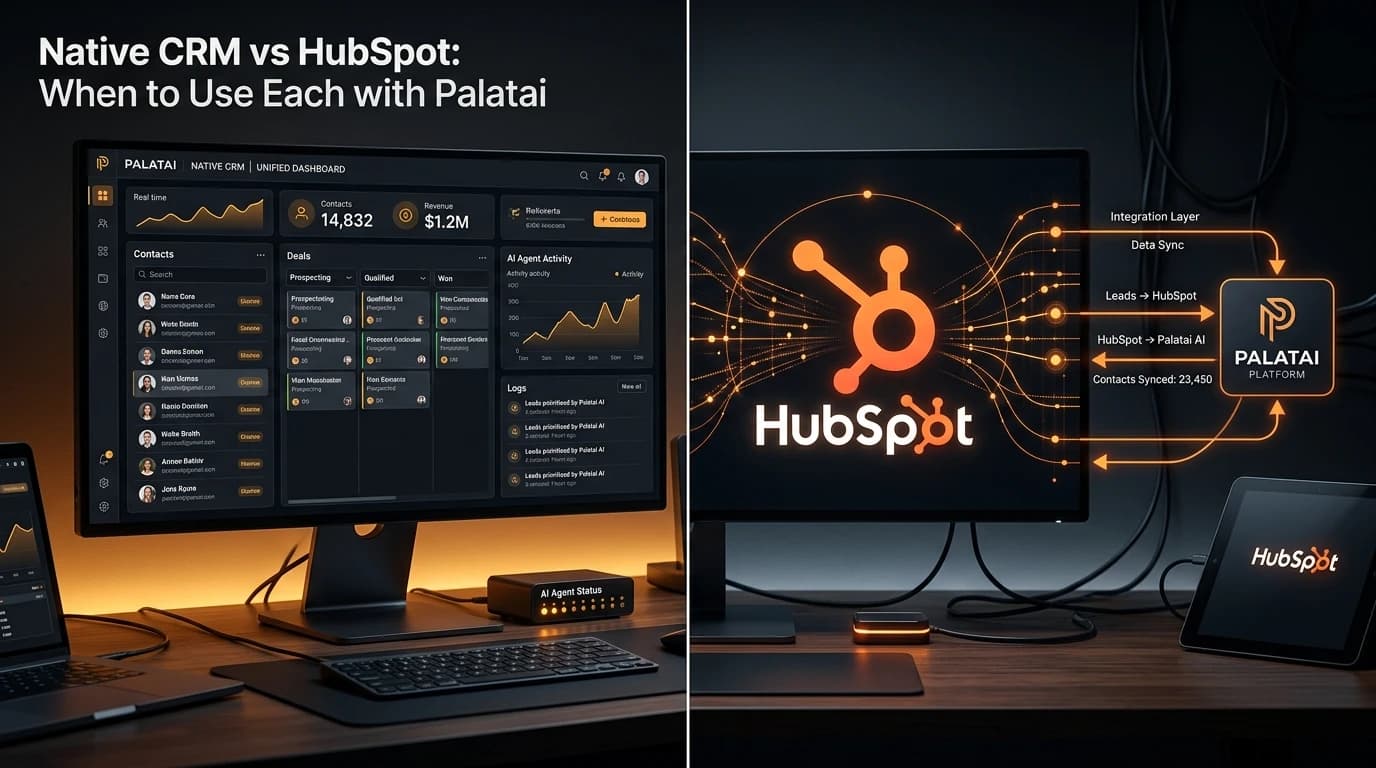
In these cases, Palatai connects to HubSpot through a bidirectional sync. Contacts, deals, lifecycle stages, and activity data flow between both systems in near-real time. Your sales team keeps working in HubSpot. Your AI agents keep working in Palatai. Both see the same data.
When to Run Both (The Dual-Run Strategy)
Most businesses don't make a clean switch overnight, and they shouldn't. The dual-run strategy gives you a transition window:
- Connect HubSpot to Palatai via bidirectional sync. Both systems share the same contact records, deal stages, and lifecycle data.
- Let your AI agents work from the native CRM. Lead qualification, automated follow-ups, meeting scheduling, and nurture sequences all run from the native CRM where agents have zero-latency access.
- Let your human team work from HubSpot. Sales reps continue using the interface they know. Marketing continues building campaigns in HubSpot's CMS.
- Measure for 60 days. Track which system generates more value. Where do your reps actually spend their time? Which deals close faster? Where do sync conflicts happen?
- Decide based on data. If the AI agents are doing 80% of the CRM work and your team barely logs into HubSpot, drop HubSpot. If your team still depends on HubSpot daily, keep it and let the sync handle the bridge.
The Decision in Three Questions
- Who touches your CRM more — humans or AI agents? If agents, go native. If humans, keep HubSpot.
- Is response speed a revenue driver? If a 15-minute delay costs you deals, go native. If your sales cycle is weeks or months, the sync delay is irrelevant.
- What are you actually paying HubSpot for? If it's the CMS and attribution reporting, keep it. If it's just contact storage, you're overpaying.
What the Sync Looks Like in Practice
Palatai's HubSpot integration is bidirectional and near-real-time. Here's what that means concretely:
- Contact created in either system → appears in both within seconds
- Deal stage updated in HubSpot → Palatai's AI agents see the new stage immediately and adjust their behavior (e.g., stop nurture sequences, start onboarding workflows)
- AI agent qualifies a lead in Palatai → HubSpot contact record updates with the qualification score, notes, and lifecycle stage
- Contact unsubscribes in HubSpot → Palatai's agents stop all outbound communication to that contact
- Conflict resolution → when both systems edit the same field within the same sync window, the most recent write wins, with a full audit trail of what changed
This is not a one-way data dump. Both systems remain authoritative for their respective workflows. HubSpot stays the source of truth for human-driven marketing campaigns. Palatai stays the source of truth for AI-driven operations. The sync keeps them in agreement.
The Migration Path (If You Decide to Drop HubSpot)
If you run the dual strategy for 60 days and the data says HubSpot isn't earning its subscription, here's the migration path:
- Export everything. Contacts, deals, email templates, workflow configurations, landing page content. HubSpot makes this straightforward through their export tools.
- Verify parity. Confirm that every HubSpot contact exists in Palatai's native CRM with matching data. The bidirectional sync should have already handled this, but verify anyway.
- Recreate what matters. Email templates, pipeline stages, and any custom properties your team uses. Skip the features nobody actually opens — most businesses use less than 20% of HubSpot's feature surface.
- Run parallel for two weeks. Keep HubSpot active but stop creating new data there. All new leads, deals, and activities go through Palatai. Watch for anything that breaks.
- Deactivate HubSpot. Downgrade to the free tier (keep the data) or cancel entirely. Redirect the budget to higher-impact areas.
What This Looks Like for Real Businesses
The landscaping company from the opening? They ran dual CRM for 45 days. Their AI agents were handling 90% of lead follow-up, appointment scheduling, and estimate reminders. The owner logged into HubSpot twice during that entire period — both times to check a report he could have pulled from Palatai's dashboard.
They dropped HubSpot. Saved $1,164/year on the subscription, plus $200/month on Zapier, plus 16 hours a month of VA time that had been spent fixing sync issues. The AI agents now operate on a single CRM with zero-latency data access, and their average lead response time went from 47 minutes to under 3.
A marketing agency with 15 employees made the opposite call. Their team builds client campaigns inside HubSpot's CMS daily. Ripping that out would have cost weeks of productivity. They kept HubSpot for campaign management and use Palatai's bidirectional sync so their AI agents can qualify leads and manage internal operations without stepping on the marketing team's workflow.
Both decisions were correct. The right CRM depends on your team, not on a feature comparison chart.
The bottom line: a native CRM removes the integration tax between your AI agents and your contact data. HubSpot earns its place when humans depend on its interface and content tools daily. Most businesses should start with the dual-run strategy, measure for 60 days, and let the usage data make the decision for them.
Want to see how this works for your business? Start a 30-day pilot — we'll set up the native CRM, connect your existing HubSpot if you have one, and let you compare side by side. No long-term contracts. No setup fees.
Frequently Asked Questions
Can I use Palatai's native CRM and HubSpot at the same time?
Yes. Palatai syncs bidirectionally with HubSpot, so contacts, deals, and lifecycle stages stay consistent across both systems. Many teams start in dual-run mode while they decide which system fits their workflow better long-term.
Will I lose data if I switch from HubSpot to a native CRM?
No. A proper migration maps every contact, deal, note, and activity into the new system before anything gets deactivated. Palatai's sync keeps both systems in parity during the transition so nothing falls through the cracks.
How much does HubSpot actually cost for a small business?
HubSpot's free CRM covers basics, but the moment you need marketing automation or custom reporting, costs jump to $890/month or more for Marketing Hub Professional — plus a mandatory $3,000 onboarding fee. For a 10-person company, total annual spend often lands between $10,000 and $50,000.
What is a native CRM in an AI platform?
A native CRM is a contact and deal management system built directly into the AI platform's architecture, not bolted on through an API. This means AI agents can read, write, and act on CRM data without sync delays or integration middleware.
When should I keep HubSpot instead of switching to a native CRM?
Keep HubSpot if your team depends on its content management system, if you have complex multi-touch attribution reporting built there, or if your sales team already has deep muscle memory with HubSpot's interface and would resist a change. In those cases, use Palatai's HubSpot sync to get AI agent benefits without disrupting your CRM workflow.
Sources
- HubSpot Pricing 2026: Updated Plan Costs, Contact-Tier Fees & True Total Price Breakdown — EngageBay
- 7 Critical Sync CRM Challenges and How Modern Integration Platforms Solve Them — Stacksync
- Which CRM Should You Use in 2026/2027? Follow the Agents — SaaStr
- AI-Native CRMs: The 2026 Guide to Top Platforms & Features — Reevo
- HubSpot Alternatives for Small Business in 2026 — Sapt.ai
- The State of AI in CRM: A Sneak Peek Into 2026 — G2